Word Counter
Paste or type your text and get a live count of words, characters, sentences and paragraphs — plus reading time, speaking time, keyword density and how your text measures up against the character limits on X, Instagram and in search results. Everything runs in your browser; nothing is uploaded.
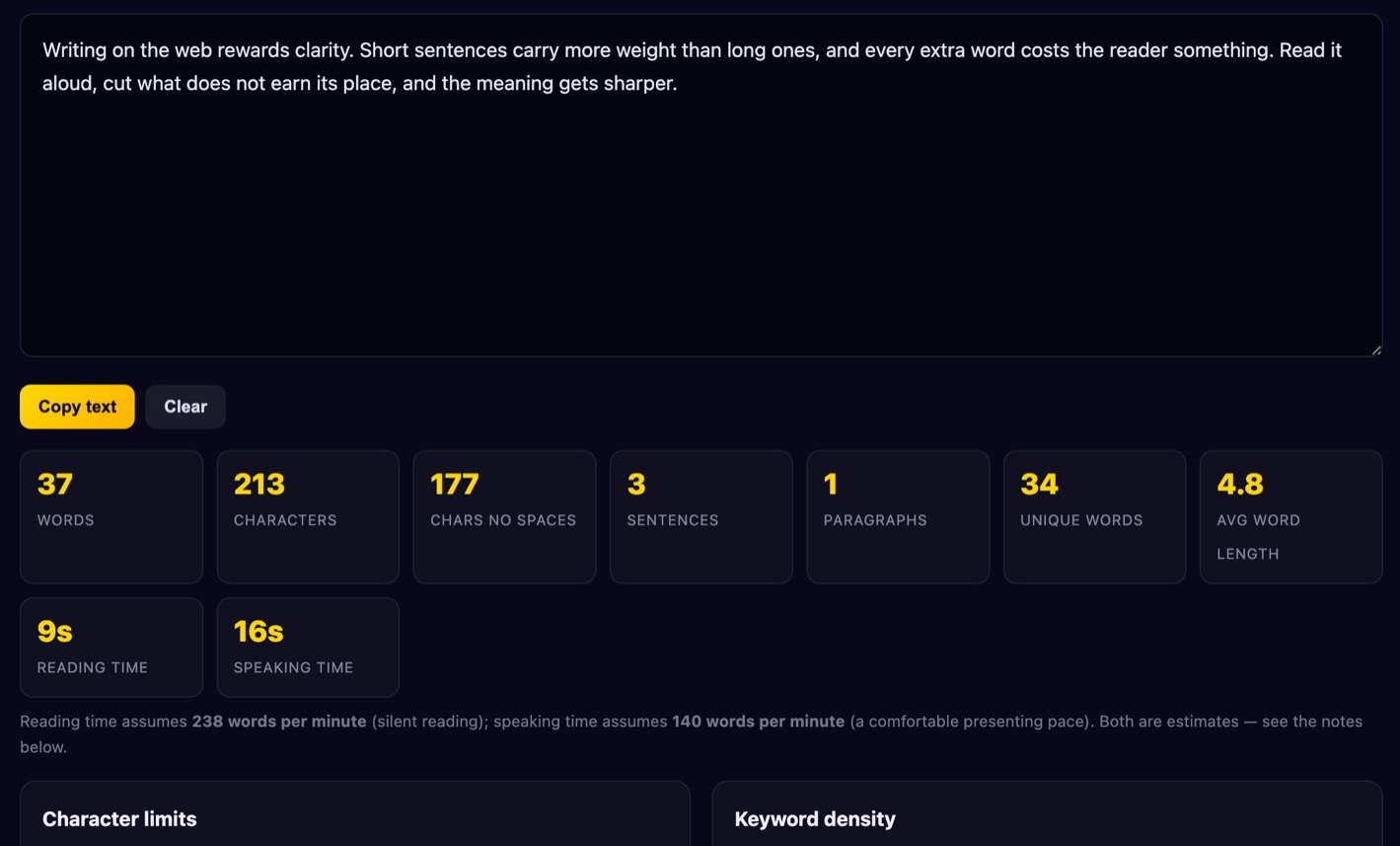
Reading time assumes 238 words per minute (silent reading); speaking time assumes 140 words per minute (a comfortable presenting pace). Both are estimates — see the notes below.
Character limits
How your text fits common platform limits, counting characters including spaces.
Keyword density
Top 10 words by frequency.
Type some text to see word frequencies.
How to use the word counter
- Paste or type your text into the box above. The counters update on every keystroke — there is no button to press and no page reload.
- Read the headline stats. Words, characters with and without spaces, sentences, paragraphs, unique words and average word length are all calculated from the same text.
- Check the limits you care about. The bar next to each platform turns amber as you approach the limit and red once you pass it, and the number tells you exactly how many characters you have left or how far over you are.
- Scan the keyword density table to see which words you lean on. Toggle stop words off if you want to see how often “the” and “and” really appear.
- Copy or clear. The copy button puts the whole text on your clipboard; clear empties the box and resets every counter.
What counts as a word?
This is less obvious than it sounds, and it is the main reason two word counters can disagree about the same paragraph. Our rule is simple and predictable: a word is a run of characters separated by whitespace. We trim the text, collapse runs of spaces, tabs and newlines, and count what is left.
That means mother-in-law is one word here, and so is don’t, 3.14, €49.99 and hello@example.com. Microsoft Word uses roughly the same whitespace rule, which is why our totals usually match it exactly. Google Docs is also close, but it and Word handle some edge cases differently — a stray em dash pressed up against a word, numbers inside tables, or footnote markers can shift a count by one or two. Some editorial tools go further and split hyphenated compounds into two words, which will make their count higher than ours on technical or German text where compounds are common.
Sentences are counted by looking for terminating punctuation — a full stop, question mark, exclamation mark or ellipsis followed by whitespace or the end of the text. That handles normal prose well but will over-count if you write “e.g.” or “Dr. Smith”, because no purely mechanical rule can tell an abbreviation from a sentence end without a dictionary. Paragraphs are counted as non-empty lines, so a single hard return starts a new paragraph. Treat sentence and paragraph counts as close approximations; treat the word and character counts as exact.
Character limits that matter
X (Twitter) — 280 characters. The classic limit for a standard post. Note that X counts some characters differently from a naive count: emoji and characters outside the basic Latin and Latin-1 ranges are weighted as two, and links are shortened to a fixed length. Our counter shows raw characters, so a post that is dense with emoji may hit X’s limit slightly sooner than the number here suggests.
Instagram caption — 2,200 characters. Generous, but the feed only shows roughly the first 125 characters before a “more” link, so the opening line is doing nearly all the work. Hashtags count toward the 2,200.
Meta description — around 155–160 characters. This is the one people most often misunderstand. Google does not enforce a character limit at all; it truncates snippets by pixel width on the rendered result, which is roughly 920 pixels on desktop and less on mobile. A description full of wide capitals and “W”s gets cut earlier than one full of “i”s and spaces. Google also rewrites descriptions a large share of the time when it thinks a passage from the page answers the query better. So 155 characters is a sensible guideline that keeps you safe on most screens — not a rule, and not a guarantee your text is what appears.
SEO title — around 60 characters. Same pixel-width caveat, with roughly 580 pixels available. Put the distinctive part first so it survives truncation.
SMS — 160 characters. A single GSM-7 encoded message holds 160 characters. Add one emoji or a curly quote and the whole message switches to UCS-2 encoding, which drops the limit to 70 characters per part. Longer messages are split into concatenated parts of 153 (or 67) characters, and you are usually billed per part.
Reading time and why estimates differ
Every “5 min read” badge you have seen is a division problem with a debatable denominator. Research on adult silent reading of English prose clusters somewhere between about 200 and 260 words per minute, with meta-analyses of many studies landing near 230–240 for non-fiction. Reading aloud is far slower, typically 150–190 wpm, and a comfortable presentation pace is slower still — around 130–150 wpm once you allow for pauses and emphasis.
We use 238 wpm for reading and 140 wpm for speaking. The spread matters: a 1,200-word article is a 5-minute read at 240 wpm and a 6-minute read at 200 wpm. Material changes it too — dense technical text, unfamiliar vocabulary, tables and code all slow readers down well below any average, while skimmable listicles run faster. If you are timing a talk, read it aloud with a stopwatch once; that single measurement beats any formula, and it tells you your own pace rather than a population average.
Keyword density — use it with care
Keyword density is the percentage of total words that a given word makes up. It was a genuine ranking signal in the late 1990s, and a whole cottage industry grew up around hitting a magic percentage. That era is long over. Modern search engines evaluate meaning, context and how well a page answers a query; repeating a phrase to hit 2.5% does nothing for you, and repeating it enough to read badly is keyword stuffing, which is an explicit spam policy violation and can get a page demoted.
There is still one honest use for the table above: spotting repetition you did not intend. If “solution” is 4% of a 700-word page, you have written the same sentence five times in different clothes. If your actual subject does not appear in the top ten at all, the page may be vaguer than you think. Read it as a writing-quality mirror, not a target to optimise toward. There is no correct number.
Is my text uploaded?
No. Every calculation on this page happens in JavaScript inside your browser. Your text is never sent to our server, never written to a database, and is not stored anywhere — closing or reloading the tab discards it. That makes the tool safe for drafts, client work and anything confidential. You can confirm it by opening your browser’s network tab while typing, or by disconnecting from the internet: the counters keep working. See our Privacy Policy for the full details.
FAQ
Why is my count different from Microsoft Word?
Usually by one or two, and usually because of headings, footnotes, text inside tables or a stray character that Word treats as a separator. Word counts the whole document including headers and footnotes by default; here you are only counting the text you pasted. Both use a whitespace rule, so on plain prose the totals normally match.
Does the counter include spaces?
Both numbers are shown. “Characters” includes spaces, tabs and line breaks; “chars no spaces” strips all whitespace. Platform limits such as X and SMS count spaces, so the limit bars use the with-spaces figure.
Is there a length limit on what I can paste?
No hard limit. The counters recalculate on every keystroke, so extremely long documents — hundreds of thousands of words — may feel slightly less snappy on an older phone, but nothing breaks.
How is average word length calculated?
Total characters in all words divided by the number of words, ignoring the spaces between them, rounded to one decimal. Plain English prose usually lands around 4.5 to 5.5; a much higher figure suggests dense, formal or jargon-heavy writing.
Does it work with accented and non-English text?
Yes. Word splitting is whitespace-based, so it works with any language that separates words with spaces, and the keyword table uses Unicode-aware letter matching so Grün, café and naïve are handled as single words. Languages written without spaces, such as Chinese and Japanese, cannot be word-counted this way — the character count is the meaningful number there. The stop-word list is English only.
Need something else? Try the case converter for reformatting headlines, the password generator, or browse all our free browser tools.