Password Generator
Create a strong random password or an easy-to-type passphrase, with an honest entropy estimate in bits so you can see exactly how much guessing work it represents. Everything is generated in your browser with the operating system’s cryptographic random number generator — nothing is sent anywhere.
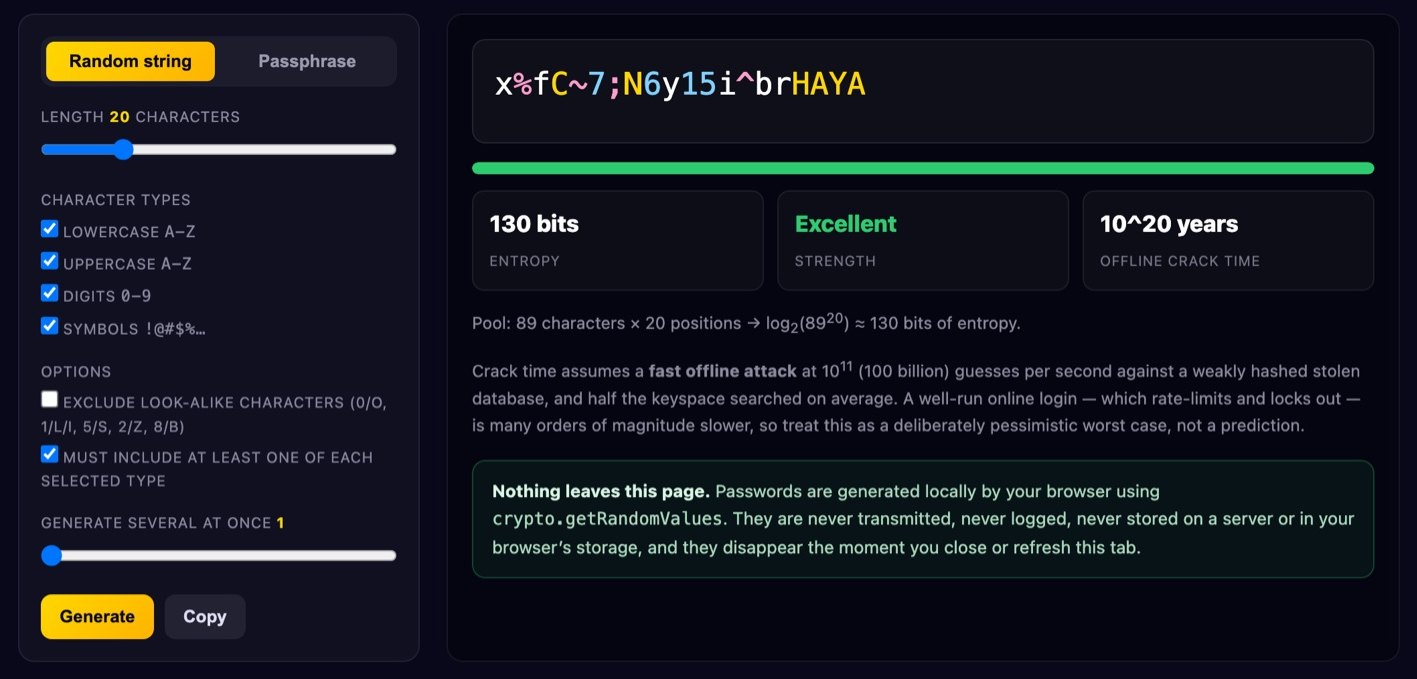
Crack time assumes a fast offline attack at 1011 (100 billion) guesses per second against a weakly hashed stolen database, and half the keyspace searched on average. A well-run online login — which rate-limits and locks out — is many orders of magnitude slower, so treat this as a deliberately pessimistic worst case, not a prediction.
crypto.getRandomValues. They are never transmitted, never logged, never stored on a server or in your browser’s storage, and they disappear the moment you close or refresh this tab.How to generate a strong password
- Pick a mode. “Random string” is the densest option per character; “passphrase” gives words you can read off a screen and type on a phone or TV remote.
- Set the length. 16 characters is a sensible floor for a random string, 20–24 is comfortable.
- Choose the character types. Leave all four on unless a site rejects symbols. If you will retype it by hand, switch on “exclude look-alike characters”.
- Check the entropy figure. Aim for 75+ bits for ordinary accounts and 100+ for email, your password manager and anything financial — those can reset everything else.
- Copy it into your password manager and close this tab. Do not park it in a notes app or a message to yourself.
What actually makes a password strong
A password is strong when guessing it is expensive, and the honest way to measure that is entropy: how many equally likely passwords the generator could have produced. Pick each character independently and uniformly from a pool of P symbols and a password of length L carries log2(PL) = L × log2(P) bits. That is the figure shown above, computed from the pool you actually selected rather than from a scoring heuristic.
Two worked examples. A 20-character password using lowercase, uppercase, digits and symbols draws from about 94 characters: log2(94) ≈ 6.55 bits each, so 20 × 6.55 ≈ 131 bits. A four-word passphrase from the 330-word list here is log2(330) ≈ 8.37 bits per word — only about 33 bits, far too weak alone. On the 7,776-word Diceware list each word is worth 12.9 bits, so four words is about 51 bits and six about 77. List size matters as much as word count, which is why the passphrase mode above defaults to seven words plus a capital and a digit.
So length beats complexity: moving from a 62-character alphanumeric pool to a 94-character one buys about 0.7 bits per character, while adding four characters buys 26 bits. And all of this assumes a machine chose the password — entropy measures the generator, not the string. Tr0ub4dor&3 fools naive strength meters, but a human built it from a dictionary word plus predictable substitutions, exactly what cracking rules model. Human-chosen passwords usually deliver well under 30 bits however many symbol classes they satisfy.
Passphrases vs random strings
Both are fine at sufficient entropy; the choice is ergonomics, not security. Random strings are denser — at roughly 6.5 bits per character they pass 100 bits in about 16 characters — but they are miserable to dictate or retype on a games console.
Passphrases are far easier to type accurately and to remember, which matters for the few passwords you cannot keep in a manager: your device login, your disk encryption, and the manager’s own master password. The cost is length, and some sites still cap you at 16 or 20 characters.
A passphrase is only as strong as its randomness, though: song lyrics, film quotes and “four words I thought of” are not random.
The rules that don’t help
Two long-standing policies make things worse. Forced 90-day rotation pushes people into predictable transforms: Spring2026! becomes Summer2026! — given one old password, the next is often guessable in a handful of tries. Mandatory composition rules (“one uppercase, one number, one symbol”) funnel everyone into the same shape, capital first and digit-plus-! last, which is precisely what cracking rules exploit. Password1! satisfies almost every corporate policy ever written and sits in every wordlist.
Modern guidance, notably NIST Special Publication 800-63B, reflects this: allow long passwords and all printable characters, drop composition rules, drop periodic expiry unless there is evidence of compromise, and screen new passwords against known-breached and common values instead. Long, unique, non-rotating, breach-checked.
Use a password manager
If you change one thing, change this. The biggest real-world risk is not brute force but credential stuffing: a small site is breached, your email and password land in a dump, and attackers replay that pair against hundreds of other services. A unique password per site turns a cascade into a single-site inconvenience, and a manager is the only practical way to keep hundreds of unique passwords.
Pick any reputable manager, protect it with a long generated passphrase you have memorised, and switch on two-factor authentication everywhere — an authenticator app or hardware key ahead of SMS. Two-factor is what saves you when a password is stolen rather than guessed.
Is this password sent anywhere?
No. Generation happens entirely inside this browser tab using the Web Crypto API’s crypto.getRandomValues, seeded by your operating system. Nothing is transmitted, nothing is logged, nothing is written to cookies or localStorage — refresh the page and it is gone. Open your browser’s network tab while clicking Generate and you will see no requests. Details are in our Privacy Policy.
Is a browser-generated password safe?
Yes, provided the randomness is right. This tool uses crypto.getRandomValues, a CSPRNG designed to stay unpredictable even to someone who has seen its earlier output. It never uses Math.random, which is fast but predictable and unfit for secrets. It also avoids modulo bias: taking a random number modulo the pool size naively makes some characters slightly likelier, so values above the last exact multiple of the pool size are discarded and redrawn — rejection sampling — keeping every character equally likely.
How long should my password be?
With a full 94-character pool, 16 characters (~105 bits) is comfortably beyond offline brute force; use 20–24 for high-value accounts. For passphrases, watch the bit count rather than the word count, since it depends on the size of the word list.
Should I change my passwords regularly?
Only when you have a reason: a breach notification, a shared password, a device you no longer trust, or a login you cannot account for. Calendar-driven rotation mostly produces weaker, more predictable passwords.
Are the excluded look-alike characters a security problem?
Slightly, and it is measurable: dropping ambiguous glyphs shrinks the pool from about 94 to 82, costing roughly 0.2 bits per character, or about 4 bits on a 20-character password. Add one character and you have more than paid it back.
Can I use these for Wi-Fi keys or API tokens?
Yes. A WPA2/WPA3 passphrase accepts 8–63 characters, so a long random string works well. For machine-to-machine secrets, use the longest string allowed and keep it out of source control.
More free tools: QR code generator, word counter, or browse everything in Tools.