Sudoku
A 9×9 logic puzzle generated fresh every time you press New Puzzle — three difficulties, pencil-mark notes, live conflict highlighting, and a best time saved for each difficulty.
▶ Play Sudoku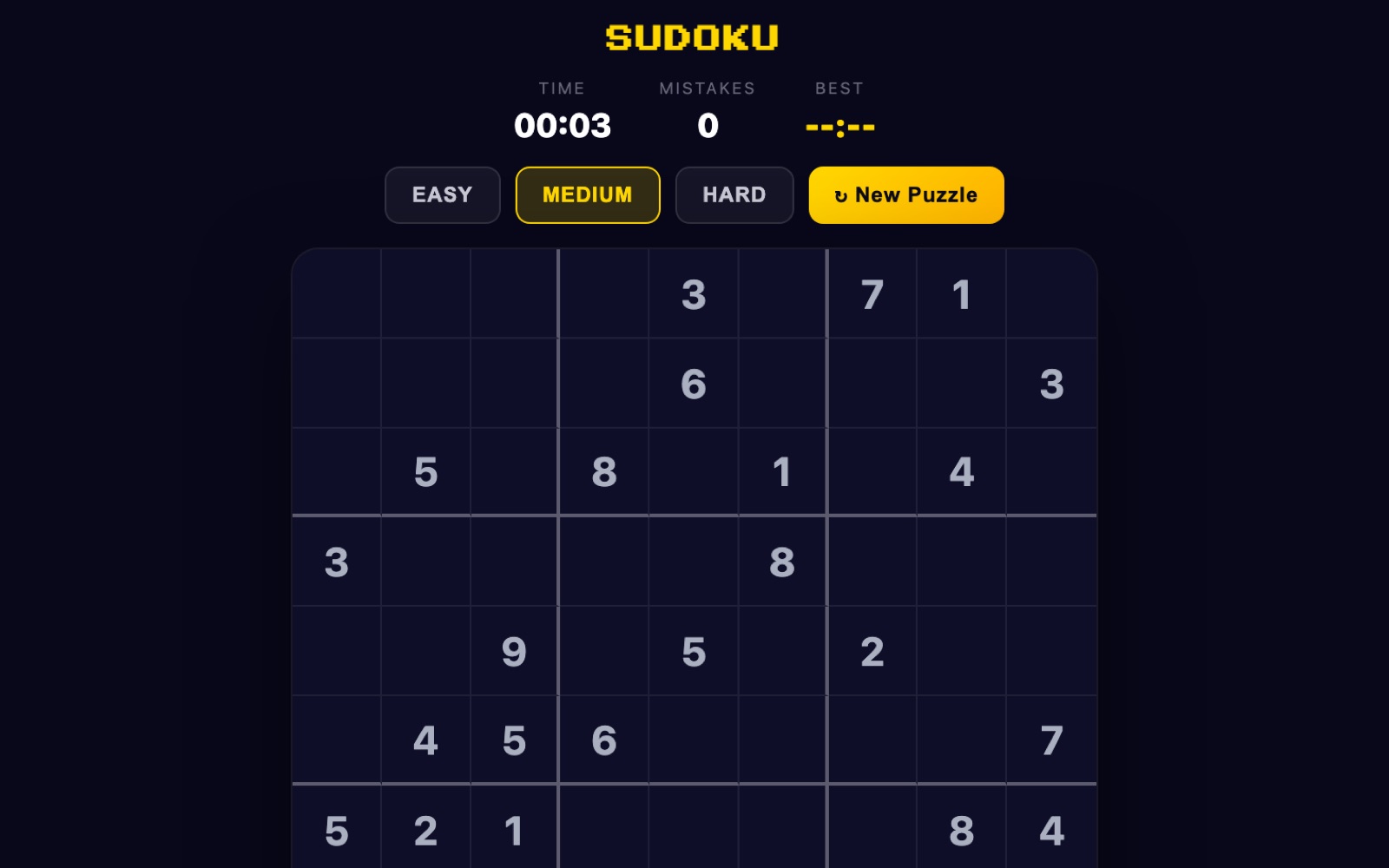
What is Sudoku?
Sudoku is a pure logic puzzle played on a 9×9 grid divided into nine 3×3 boxes. Your job is to fill every empty cell with a digit from 1 to 9 so that each row, each column and each 3×3 box contains all nine digits exactly once. There is no arithmetic involved and no guessing required — every correct answer can be reached by elimination alone.
The version on twittyn doesn't ship a library of pre-made puzzles. Each grid is built in your browser the moment you ask for one: a complete valid solution is generated first, then clues are stripped away until only the target number of givens remains. Easy leaves around 40 given digits, Medium around 32, and Hard around 26. Medium is what loads by default. Fewer givens means fewer places to start and longer chains of deduction before the grid opens up — that is the entire difference between the three settings, and it's why a Hard grid can stall you for a minute on a single cell that a Medium grid would have handed to you.
Above the board you get three readouts: TIME, which starts the moment you press Start and ticks in minutes and seconds; MISTAKES, which counts every digit you place that clashes with something already on the board; and BEST, your fastest completed time for the difficulty currently selected.
How to play
- Pick a difficulty, then press Start. Easy, Medium and Hard each generate a new grid immediately when tapped, and the overlay's Start button begins the clock. Switching difficulty mid-game throws the current grid away and builds a new one.
- Select a cell. Click or tap any empty square. The selected cell is highlighted in gold, every cell that shares its row, column or 3×3 box is dimly shaded, and if the cell already holds a digit, every other cell with that same digit lights up too — a fast visual check on where a number already lives.
- Enter a digit. Type 1–9 on a keyboard, or tap a number on the on-screen keypad below the board. Pressing the same digit a second time on the same cell clears it, so you can toggle an answer off without reaching for the eraser.
- Erase with the ✕ key. The keypad's ✕ button empties the selected cell, as do Backspace, Delete and 0 on a keyboard. Given clues are locked and can't be changed or erased.
- Move with the arrow keys. Arrows shift the selection one cell at a time and wrap around the edges — pressing Right on the last column jumps to the first column of the same row. If nothing is selected yet, any arrow key drops you into the top-left cell.
- Use Notes mode for candidates. Tap ✎ Notes to switch the keypad into pencil-mark mode. Digits then appear as small marks in a 3×3 mini-grid inside the cell instead of as an answer, and tapping the same digit again removes that mark. Notes only apply to empty cells, and committing a real answer to a cell wipes its notes automatically.
- Watch for red. A digit you've entered turns red whenever it duplicates another digit in its row, column or box. The highlight is live — fix the clash and the red disappears — but the mistake is already counted, and the counter never goes back down.
- Finish the grid. The moment all 81 cells match the solution, the puzzle ends, the clock stops, and if your time beats your stored best for that difficulty it's saved as the new record.
Solving techniques that actually work
These are the standard methods, in roughly the order you'll reach for them. All five are enough to finish every puzzle this game produces.
Scanning (cross-hatching)
Pick one digit — say 7 — and work box by box. For each 3×3 box that's missing a 7, mentally strike out every row and column that already contains a 7 elsewhere in the grid. If only one square in that box survives, the 7 goes there. This is the fastest opening move on Easy grids because 40 givens usually leave several digits with only one legal home.
Naked singles
Look at a single empty cell and list which digits are still legal for it. If exactly one digit survives the row, column and box checks, that's a naked single and it's forced. Notes mode is built for this: pencil in candidates, and any cell that ends up with one mark left is solved.
Hidden singles
The mirror image of the above. Instead of asking what a cell can hold, ask where a digit can go within one row, column or box. If a 4 fits in only one cell of a row — even if that cell has four or five other candidates — the 4 belongs there. Hidden singles are the technique people most often miss, because the cell doesn't look obvious on its own.
Naked pairs
If two cells in the same row, column or box both have exactly the same two candidates — say {3,8} and {3,8} — then those two digits must occupy those two cells in some order. Every other cell in that unit can drop 3 and 8 from its notes. You solve nothing directly, but the eliminations frequently create a single somewhere else.
Pointing pairs
Inside a box, if all remaining candidates for a digit sit in the same row (or the same column), that digit must be placed in that box's portion of the row — which means it can be removed from that row everywhere outside the box. This box-to-line interaction is the main tool for cracking Hard grids, where naked and hidden singles run out early.
Why every puzzle has exactly one solution
Generation runs in two passes. First a solver fills an empty 81-cell grid using randomised backtracking: it repeatedly picks the empty cell with the fewest legal candidates (the minimum-remaining-values heuristic, which keeps the search from wandering), shuffles that cell's candidate list, and recurses — backing out whenever a cell is left with no legal digit. The result is a complete, valid, randomly-shaped solution.
The second pass carves the puzzle out of it. Cell indices are shuffled, then visited one at a time. For each cell, its digit is temporarily removed and a solution-counting solver runs over a copy of the grid. That counter is capped at 2 — it stops the moment a second solution appears, since the count itself doesn't matter, only whether it exceeds one. If exactly one solution remains, the removal is kept; if two are found, the digit is put straight back and the generator moves on to the next candidate cell.
Because uniqueness is verified after every single removal, the puzzle you receive is provably solvable by logic with no branching or guesswork. It also means the clue count is a target, not a promise: if the generator can't strip 55 cells from a grid without breaking uniqueness, a Hard puzzle will simply hand you a few more givens than 26 rather than serve you an ambiguous board.
Good to know: Best times are stored separately for Easy, Medium and Hard, each under its own small key in your browser's local storage — so improving your Hard record never overwrites your Easy one, and the BEST readout swaps to match whichever difficulty you have selected. Nothing is sent to a server and no account is needed; clearing your browser data clears the records. See our Privacy Policy for details.
Frequently asked questions
Are the puzzles always solvable without guessing?
Yes. Every clue removal during generation is validated by a solution-counting solver, and a removal is only kept if the grid still has exactly one solution. That guarantees a logical path to the answer.
Does the mistakes counter end my game?
No. There's no mistake limit and no fail state — the counter is purely a score of how many conflicting digits you've placed, and it doesn't decrease when you correct one. You can finish a puzzle with any number of mistakes.
How do I use the notes feature?
Tap ✎ Notes to turn pencil-mark mode on. Digits you enter then show as small candidate marks arranged in a 3×3 pattern inside the cell. Tap a marked digit again to remove it, and turn Notes off to place a real answer — which clears that cell's marks.
What's the actual difference between Easy, Medium and Hard?
Only the number of starting clues: roughly 40 on Easy, 32 on Medium and 26 on Hard. The generator, the uniqueness check and the rules are identical; fewer givens simply mean longer deduction chains.
Can I get a hint or have the puzzle solved for me?
No. There is no hint button and no auto-solve — the only assistance is conflict highlighting, which flags a digit in red when it duplicates one in the same row, column or box.
Is it free, and does it work on mobile?
Yes to both. Sudoku runs entirely in your browser with no download or account, and the on-screen keypad plus tap-to-select controls are designed for phones as well as desktop.