Puzzle Reveal
Your photo gets sliced into a grid of tiles and scrambled with hundreds of random swaps — then a bot quietly undoes every single one, sliding tiles home with a golden flash until the picture is whole again.
▶ Play Puzzle Reveal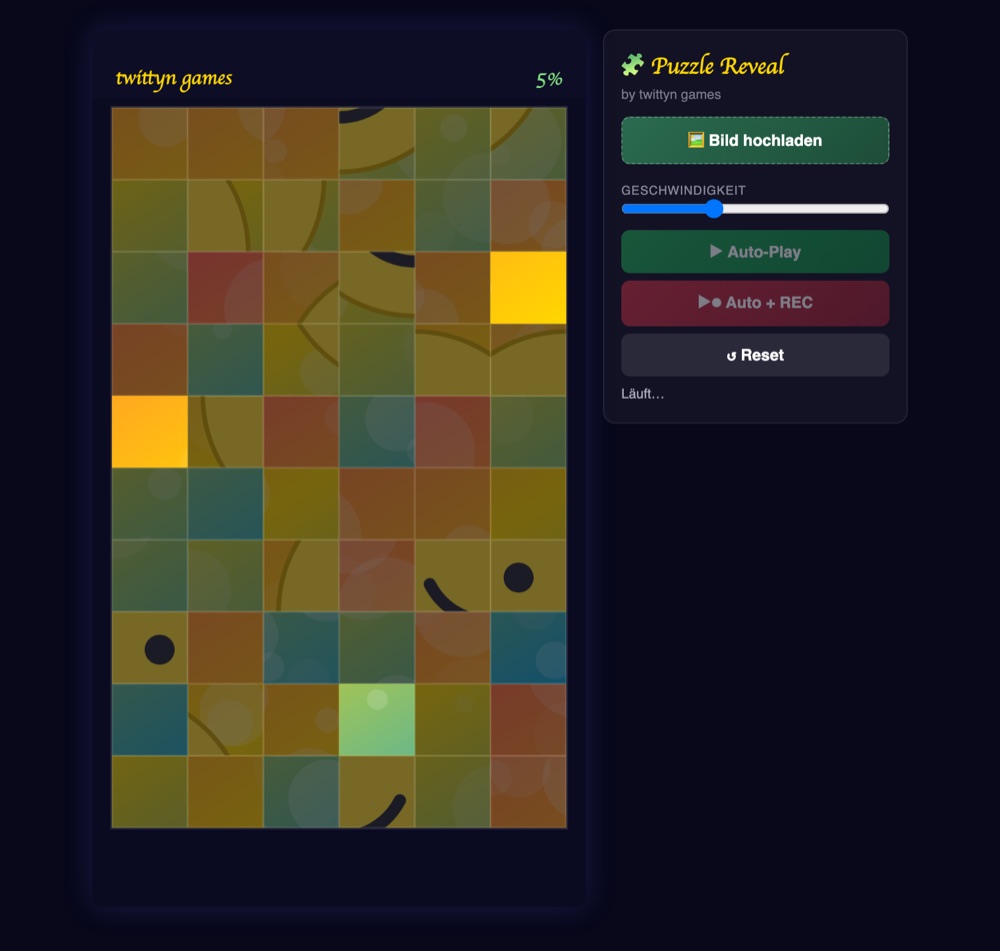
What is Puzzle Reveal?
Puzzle Reveal treats your photo like a real sliding-tile puzzle instead of something to smash or drop. Under the hood, the image is cut into a 6-by-10 grid — 60 tiles — and scrambled by firing off 70 random swaps back to back, with every single swap logged in the exact order it happened. That log is the entire trick behind the “solve”: nothing is pathfound or guessed. The bot just replays those 70 swaps in reverse, undoing the most recent one first and working backward to the very first swap that started the scramble. Because the sequence is exact, the picture always resolves cleanly, no matter how scrambled the grid looks at the halfway point.
Watching it happen is the fun part. Each undo grabs two tiles, slides them across the board with an eased motion — quick off the start, quick into the landing, gentler through the middle — and wraps them in a soft golden glow the instant they click into place. Tiles already sitting correctly carry a faint gold outline; everything still scrambled sits under a light dark overlay so your eye naturally tracks what's left. There's a short beat, a few tenths of a second, between one swap finishing and the next one starting, so the reveal has a rhythm instead of flickering all at once. Whatever photo you upload is scaled to fill the entire 1080×1920 frame before it's sliced, so no tile ever shows a stretched or empty edge.
How to play
- Upload a photo. A face, a product shot, a logo — anything works. Skip this and a generated placeholder fills in instead: a soft gradient with a simple smiley built entirely from shapes, no text on the canvas.
- Press Auto-Play or Auto + REC. The grid scrambles through its 70 swaps almost instantly, then the bot starts undoing them one at a time.
- Watch the reverse-solve. Each undo plays as a golden slide between two tiles, and the percentage counter in the top-right climbs as more of them land correctly.
- Let the last swap land. Once the very first scramble swap is undone, confetti bursts out from the center of the frame over your fully revealed picture.
- Grab the clip. If you recorded, a download link appears automatically along with a share button on devices that support it. Recording stops itself two seconds after the reveal finishes — no need to hit stop yourself.
Tips for a sharper reveal
- Pick images with an obvious focal point. Faces and bold shapes read as “almost solved” well before the final tiles land, which is exactly the tension that keeps a short-form clip watchable to the end.
- Use the speed slider on purpose. It scales both how fast each swap animates and how long the pause between swaps lasts, so a slower setting stretches out the drama while a faster one suits punchier clips.
- Expect the big shapes to click late. Since the bot undoes the most recent scramble swaps first, large recognizable chunks of the image tend to fall into place only in the final stretch — that's how reversing a swap chain naturally works, not a slowdown.
- Frame your subject centrally before uploading. The photo is scaled to cover the whole grid, so if one detail matters most, keep it away from the edges of your source image.
Good to know: Recording runs entirely in your browser through the Canvas captureStream API, capturing the full 1080×1920 canvas directly at 30fps. Your image never leaves your device unless you explicitly connect a social account and choose to share. See our Privacy Policy for the details.
Frequently asked questions
How many tiles are on the board?
The image is split into a 6-column by 10-row grid, 60 tiles in total, scrambled through 70 recorded swaps before the bot starts undoing them.
Can the bot ever get stuck or fail to finish?
No. The “solve” is just the scramble sequence played backward, swap for swap, so it always ends with every tile back in its original slot.
Is there a score or a timer?
No score, no hearts — just the live percentage of solved tiles in the top-right corner, same as the rest of our reveal games.
Do I need to install anything or make an account?
No. Puzzle Reveal runs in any modern browser, desktop or mobile, and there's nothing to download or sign up for to play or record.