Block Stack
The block-stacking puzzle everyone knows, rebuilt for the browser. Rotate and slot the falling tetrominoes into a 10×20 well, complete full rows to clear them, and keep the stack from reaching the top.
▶ Play Block Stack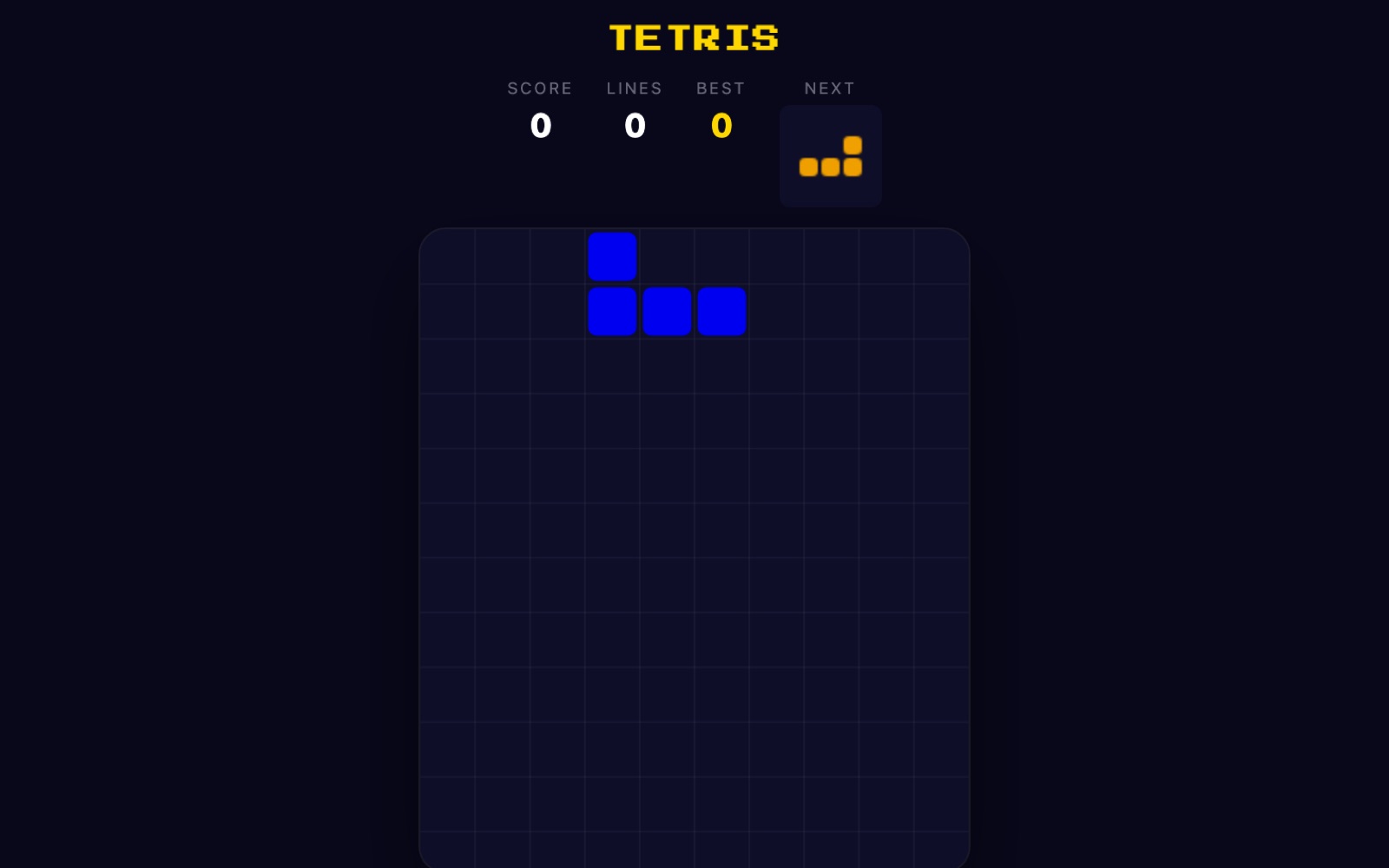
What is Block Stack?
Block Stack is a falling-block puzzle played on a well ten columns wide and twenty rows tall. Seven differently shaped pieces — the tetrominoes — drop from the top one at a time, and your job is to rotate and slide each one into place so that horizontal rows fill completely. A full row vanishes and everything above it drops down; leave gaps and the stack creeps upward until a new piece has nowhere to spawn, which ends the run.
All seven classic shapes are here with their traditional colors: the cyan I (a straight four-long bar), the yellow O (a 2×2 square), the purple T, the green S, the red Z, the blue J and the orange L. Pieces are dealt using a 7-bag randomizer: the game shuffles one of each of the seven shapes and hands them out before shuffling a fresh bag, so you are guaranteed to see every piece once per seven drops and never suffer a long drought of the one you need. A NEXT box beside the board always shows the piece coming after the current one, so you can plan a move ahead.
This is a human-controlled build — unlike the reveal-style games on twittyn that a bot plays in front of a camera, Block Stack has no auto-play and nothing records. It runs on a fixed-timestep gravity loop, so the piece steps down at a steady, predictable interval rather than sliding smoothly, and that interval shortens as you level up.
How to play
- Start the game. Press the “Start” button, or hit Space or Enter. A piece appears at the top center of the well and begins falling on its own.
- Move left and right. Use the Left/Right arrow keys or the A and D keys to shift the active piece sideways one column at a time.
- Rotate. Press the Up arrow or W to rotate the piece clockwise. If the rotated shape would clip a wall or another block, the game tries a basic wall kick — nudging the piece one cell left, then one cell right — and only cancels the rotation if none of those positions fit. The O piece never rotates, since a square looks identical either way.
- Soft drop. Hold or tap the Down arrow or S to push the piece down faster for extra control. If it can’t fall any further, a soft drop locks it in place.
- Hard drop. Press Space to slam the piece straight to the bottom of its column and lock it instantly. A faint ghost outline shows exactly where it will land before you commit.
- Clear lines. Fill an entire row across all ten columns and it disappears, pulling everything above it down and scoring points.
- Don’t top out. When a freshly spawned piece has no room to appear, the run is over. Your score is compared to your saved best right away.
- Play on touch. On phones and tablets an on-screen pad appears: arrows to move and soft-drop, a rotate button, and a big DROP button for the hard drop. You can also swipe left, right or down on the board, and a short tap rotates the piece.
Scoring and levels
Points come entirely from clearing lines, and clearing more rows with a single piece is worth far more than clearing them one at a time. The base values, before the level multiplier, are:
- 1 line (single): 100 points
- 2 lines (double): 300 points
- 3 lines (triple): 500 points
- 4 lines (a “quad”): 800 points
Each of those figures is then multiplied by your current level. Clearing four rows at once at level 5, for example, is worth 800 × 5 = 4,000 points, versus four separate singles at 100 × 5 = 500 — the same four rows for eight times the reward. That gap is the heart of the strategy: the four-line clear is where big scores are made.
You level up every ten lines cleared. Your level is simply your total lines divided by ten, plus one, so lines 0–9 are level 1, 10–19 are level 2, and so on. Each level makes gravity faster: the fall interval starts at one second per step at level 1 and drops by 75 milliseconds per level, bottoming out at a floor of 100 milliseconds per step. The HUD tracks your live SCORE, LINES and BEST across the top so you always know where you stand.
Tips for a higher score
- Keep the surface flat. A level, low stack gives every incoming piece somewhere sensible to go. Bumpy terrain with deep single-column pits forces awkward placements and quickly leaves gaps you can’t fill.
- Leave a well for the I-piece. Deliberately keep one column — usually on the far left or right — empty, and build nine columns wide. When a cyan I-piece arrives you can drop it into that well and clear up to four rows at once for a quad, the single most valuable move in the game.
- Chase multi-line clears, not singles. Because a double, triple or quad pays so much more per row than the same rows cleared individually, it’s worth letting the stack build a little to set up a bigger clear — as long as you keep it under control.
- Read the NEXT box. Glance at the upcoming piece before you place the current one. Knowing an S or Z is coming lets you leave the right notch for it instead of being forced into an overhang.
- Avoid overhangs and buried holes. A covered empty cell can only be freed by clearing the full rows above it, which can be several lines of dead weight. When you must choose, take the placement that keeps holes out of the stack.
- Use the ghost and the hard drop. Line the piece up using the faint landing preview, then hard-drop with Space so you don’t waste time waiting for gravity — especially valuable at higher levels when the fall is already fast.
Good to know: Your best score is saved locally in your browser under the key twittyn_blockstack_best — nothing else about your session is stored — so it’s still there next time you visit, with no login required. See our Privacy Policy for details.
Frequently asked questions
Do I need to install anything?
No. Block Stack runs entirely in your browser on desktop or mobile, with no plugins, downloads or accounts required.
How do I rotate and hard-drop a piece?
Press the Up arrow or W to rotate clockwise, and press Space to hard-drop the piece straight to the bottom and lock it instantly. On touch devices, tap the rotate button or the board to rotate, and use the DROP button for a hard drop.
What is a “quad”?
A quad is clearing four rows at once with a single piece, almost always by dropping the long I-piece into a pre-built well. It’s worth 800 points times your level — far more than clearing those four rows one at a time.
How does levelling up work?
You gain a level for every ten lines you clear. Each level speeds up how fast pieces fall, from one second per step at level 1 down to a minimum of 100 milliseconds per step, so the game gets progressively more demanding.
Why won’t my piece rotate near the wall?
Rotation is blocked if the turned shape would overlap a wall or another block. The game first tries nudging the piece one cell left and then one cell right (a basic wall kick); if none of those positions is clear, the rotation is cancelled. The square O-piece never rotates at all.
Is my best score saved?
Yes. Your best score is stored locally in your browser, so it persists between visits on the same device. The game is completely free with no time limits or paywalls.