Snake
The classic arcade game, rebuilt for the browser. Steer the snake around the board, eat the food, grow longer, and try not to run into the walls or your own tail.
▶ Play Snake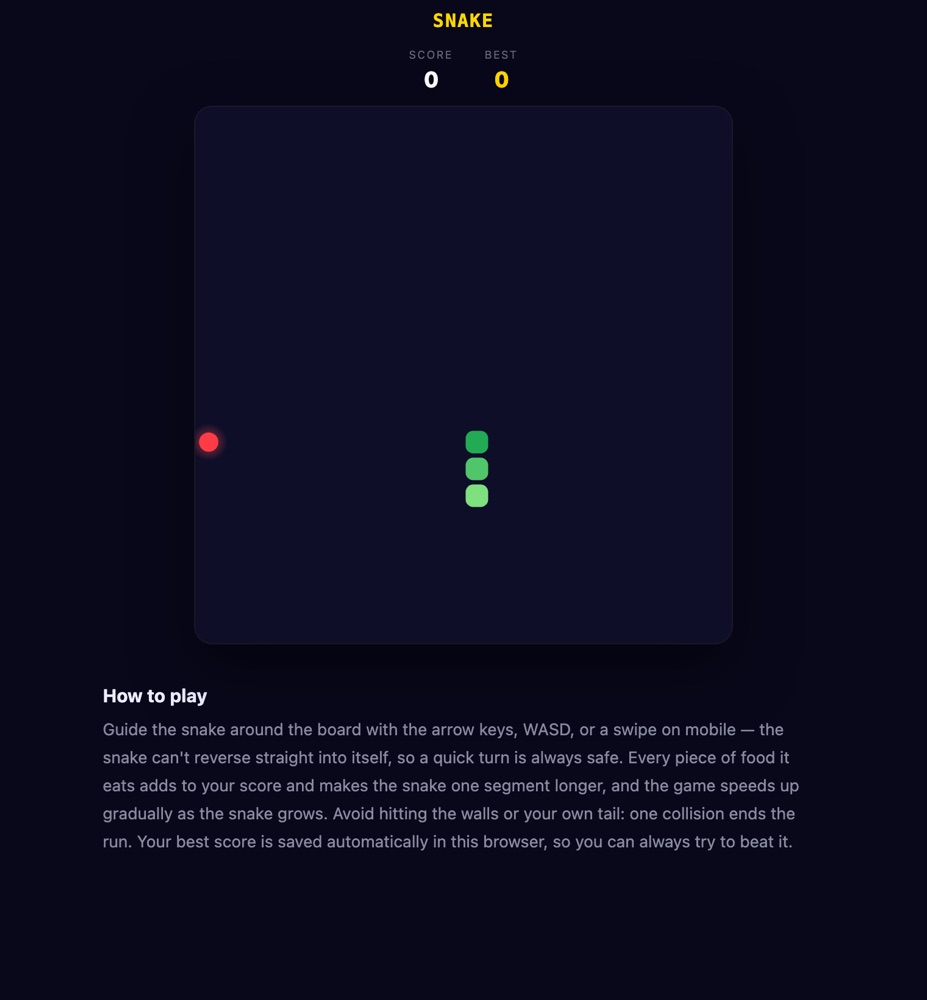
What is Snake?
This is a straight, no-frills rebuild of the arcade classic on a 20×20 grid. Three segments to start, one direction of travel, and a single red pellet on the board at a time. Unlike the reveal-style games on twittyn, which are built for a bot to play in front of a camera, Snake has no auto-play and nothing records — it's just you, the arrow keys (or your thumb), and a canvas that gets more crowded every time you eat.
The rules haven't changed since the original: eat the food, don't eat yourself, don't hit the wall. What makes each run different is timing. The game runs on a tick loop rather than smooth movement — the snake advances one grid cell at a fixed interval, and that interval shrinks every time you grow, so the back half of a good run always feels faster than the front half.
How to play
- Start the run. Hit the “Start” button, press Space/Enter, or tap the board. The snake begins moving to the right immediately.
- Steer with arrow keys or WASD. Desktop uses the arrow keys or W/A/S/D. The game blocks a direct 180° reversal — you can't steer straight back into your own neck — but it only remembers your most recent key press before each tick, not a queue of moves, so mashing two direction keys in the same instant just keeps the last one.
- Swipe or use the D-pad on mobile. Touch devices get an on-screen D-pad below the board automatically, and you can also swipe on the board itself. A swipe under about 24 pixels is read as a tap rather than a direction, which is what starts or restarts a run on touch.
- Eat the food. Each pellet is worth 10 points and adds one segment to your length. A new pellet spawns immediately in an empty cell — never inside the snake.
- Watch the tail, not just the head. The cell your tail currently occupies is vacated the same tick you move, unless you're eating that turn — so a tight last-second cut behind your own tail is legal, but only if you aren't also about to grow.
- Avoid the walls and your own body. Either one ends the run instantly. Your score is checked against your saved best the moment the run ends.
- Play again. Tap “Play Again” or press Space/Enter — the board resets to three segments and speed drops right back to the starting interval.
Tips for a longer run
- The speed-up has a ceiling. Each tick gets 2.5 milliseconds faster per segment you're carrying, but it stops shrinking at 70 milliseconds a tick — which works out to roughly 35 total segments. Survive to that point and the game stops accelerating; from there on, the only thing getting harder is the shrinking open space, not your reaction time.
- Press once, deliberately. Because only your last key press before the next tick counts, panic-tapping two directions in a row wastes the first press for nothing. One clean input per turn is all you need, and it's also the safer habit against an accidental 180 that the game would otherwise block anyway.
- Loop the outer ring early. With a 20×20 board, hugging the walls for your first several pellets keeps the centre open for later, when you'll actually need the room to turn.
- Use the tail-vacate rule on purpose. Since your tail cell clears out the instant you move (as long as you're not eating), a follow-the-tail line is a safe way to burn a lap without boxing yourself in when food spawns somewhere awkward.
- On mobile, commit to full swipes. Short flicks under the 24-pixel threshold register as a tap, not a turn, which can cost you a beat when the board is already moving fast.
Good to know: Your high score is saved locally in your browser (under a single small key, nothing else about your session is stored), so it will still be there next time you visit — no login required. See our Privacy Policy for details.
Frequently asked questions
Do I need to install anything?
No. Snake runs entirely in your browser on desktop or mobile, with no plugins, downloads or accounts needed.
Can I play on my phone?
Yes. Swipe in any direction to steer, or use the on-screen D-pad that appears automatically on touch devices.
Does the game get harder over time?
Yes, up to a point. The tick speed increases as the snake grows, but it caps out at 70 milliseconds per move once you're around 35 segments long — after that, the challenge is space, not speed.
Why didn't my key press register?
The game only stores your latest direction before each tick fires, so a second key pressed a moment later overrides the first. If you tap two directions almost simultaneously, only the second one takes effect.
Is my high score saved?
Yes, it's stored locally in your browser so it persists between visits on the same device.
Is it free?
Yes, Snake is completely free to play, with no time limits or paywalls.